Most Shopify stores don't lose sales because the product is bad. They lose sales because the product page doesn't do its job clearly enough.
A visitor lands, scans for a few seconds, can't find the reason to buy, and leaves. The price is quiet. The reviews are buried. The trust cues sit nowhere near the decision. The page looks fine and sells poorly. That gap between looks fine and sells well is what PDP architecture fixes.
This guide is the framework: what PDP architecture is, the order information should follow, how images, reviews, trust, and mobile fit together, and where the Baseline Conversion Blueprint™ comes in. It brands the Baseline Framework and links down to the tactical spokes.
I run Skuology, build Upsellr, and operate the offers at buildmyupsell.com and moreaov.com. The patterns below come from 90+ Shopify projects and over $300M in combined eCommerce revenue (over $50M of it from upsells), across brands including Tabs, Spacegoods, Mountain Ice, NYLOON, Fresh 32, and Laser Art. Treat that as the disclosure on every brand mention from here on.
Key Takeaways
- PDP architecture is the product page's selling system: the order of information, not the decoration.
- 56% of users' first action on a product page is exploring the images (Baymard, 2025).
- Up to 95% of shoppers rely on reviews to evaluate a product (Baymard, 2025).
- Users spend 80.3% of viewing time above the fold (Nielsen Norman Group), so the decision lives there.
- Mobile is ~59% of ecommerce sales but converts lower than desktop. The fix is mobile-first structure, not a shrunk desktop.
What Shopify PDP architecture actually is
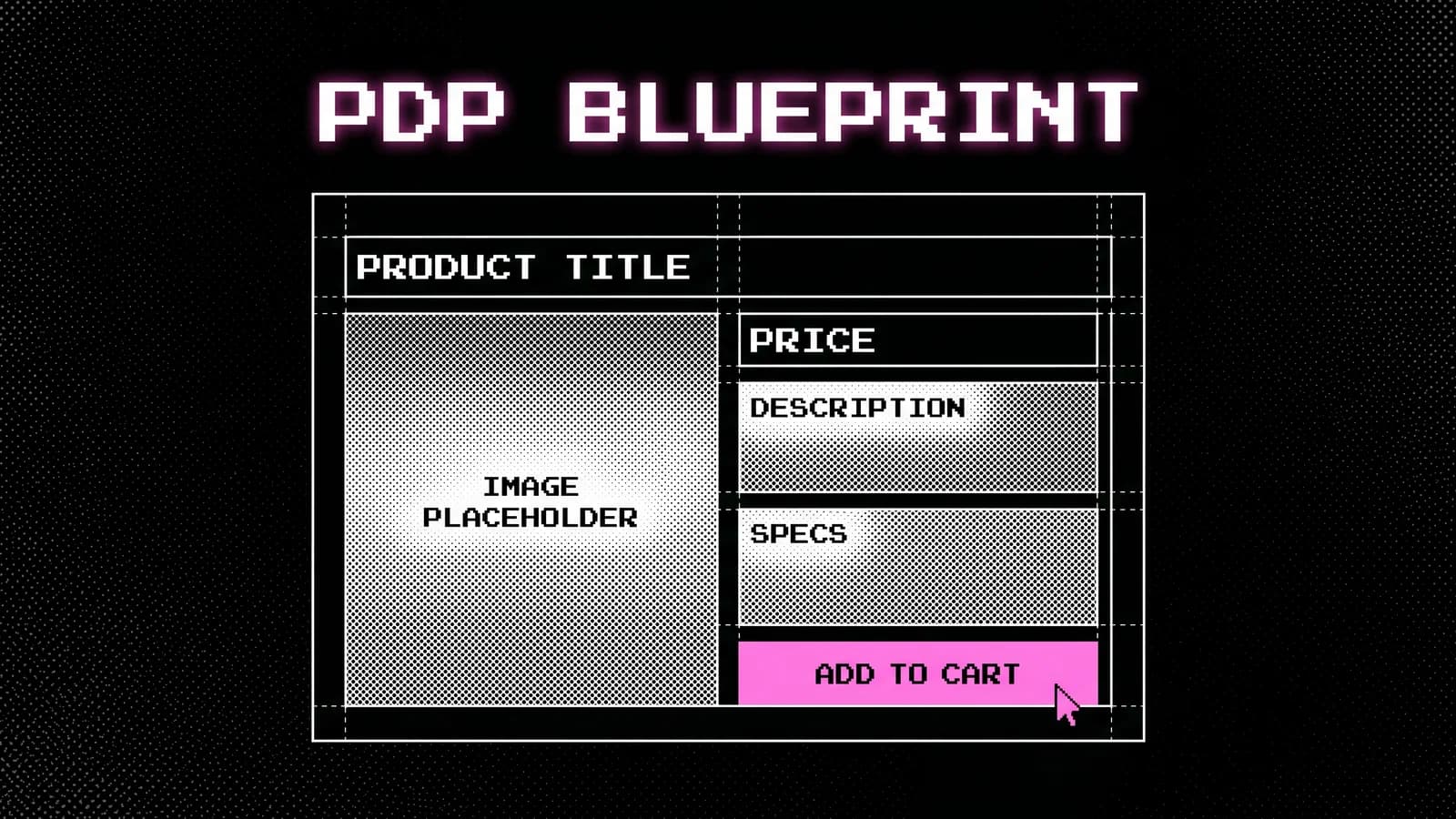
PDP architecture is the structure of a product detail page: the order of information, where trust sits, how images and reviews are placed, and how the buying flow behaves on mobile. It is the page's selling system, not its styling.
Not a theme swap. Not a prettier hero. Not more sections. Architecture is about sequence and hierarchy, answering a buyer's questions in the order they actually ask them.
The distinction matters because most "redesigns" change how the page looks without changing what it does. A buyer arrives with a short, predictable list of questions. What is it? What does it look like up close? Will it work for me? Do others trust it? What happens if it's wrong? Architecture is the discipline of answering those questions in that order, with the decision-making information where attention already is.
That is exactly what the Baseline Conversion Blueprint™ is built to produce: a store structure that sells from day one, designed before a developer touches code. The rest of this guide is the thinking behind it.
Why the product page is the highest-leverage surface
The product page is where the buy decision happens, so a structural fix there moves conversion more than a fix anywhere else. Two behaviors prove it. Baymard found that 56% of users' first action on a product page is to explore the images, and up to 95% of test subjects relied on reviews to evaluate a product (Baymard Institute, 2025).
That tells you what the page has to do first: show the product clearly and prove other people trust it. Everything else supports those two jobs.
It also tells you where the page leaks. The same Baymard research shows 25% of ecommerce sites provide insufficient image resolution or zoom (Baymard, 2025). So a quarter of stores fail the first action 56% of buyers take. That is not a design-taste problem. It is an architecture problem, and it is fixable.
For the page-by-page checklist version of this, the Shopify PDP audit checklist is the companion resource, and the 12-point PDP optimization checklist covers the fixes in priority order. This hub stays at the framework level and links down to the tactical spokes for each element.
The above-the-fold order
The first mobile screen carries the decision. Nielsen Norman Group's landmark eyetracking study found users spend 80.3% of their viewing time above the fold and 19.7% below it (Nielsen Norman Group, Scrolling and Attention). Whatever sits below the fold gets a fraction of the attention, so the decision-making information has to live above it.
The correct above-fold order on mobile, where most traffic lands, is tight:
| Position | Element | Job |
|---|---|---|
| 1 | Product name + key benefit | Confirm "this is what I came for" |
| 2 | Primary image (with zoom) | Answer the 56% who look first |
| 3 | Price + any offer | Remove the hunt for cost |
| 4 | One trust cue (rating or guarantee) | Borrow confidence early |
| 5 | Add-to-cart | Capture intent at the peak |
Most stores invert this. They open with brand story and push price, reviews, and the add-to-cart below a scroll. The page reads like an about page instead of a buying decision. Reordering the same elements, without adding anything, is often the single highest-impact change on the page. Dedicated spokes on benefit order and hero structure go deeper on the sequencing.
Product images: the first thing buyers want
Since 56% of buyers explore the images first, the image system is the most important visual decision on the page (Baymard, 2025). The job is to answer every question a shopper would resolve by handling the product in person.
That means more than a clean studio shot. The image set should show the product in use, at real scale, from the angles a buyer would inspect, with resolution and zoom that hold up when they pinch in. The 25% of sites that fail on resolution or zoom are losing buyers at the first action, before any copy gets read.
A practical image checklist for the PDP:
- A hero shot that reads instantly at thumbnail size.
- The product in use, in a real context, at human scale.
- Detail shots of the parts a buyer would scrutinize.
- Scale reference so size is never a guess.
- Zoom that stays sharp, because pinch-to-zoom is the digital version of picking it up.
Images are also where mobile architecture is won or lost, because the gallery competes with everything else for the first screen. A dedicated mobile-PDP spoke covers the gallery layout that survives the shrink to a phone.
Reviews and social proof placement
Reviews are not a section at the bottom of the page. They are part of the decision, and up to 95% of shoppers use them to evaluate a product (Baymard, 2025). Placement decides whether that 95% sees them at the moment of choice or has to go hunting.
The architecture move is to surface proof where the decision is made, not where it is convenient to put a widget. That means a star rating and count near the product name, a few high-signal review snippets near the add-to-cart, and the full review system further down for buyers who want depth. The buyer who needs reassurance gets it before they leave. The buyer who is already convinced is not slowed down.
The mistake I see most across audits is treating reviews as a trust badge rather than a content layer. A "4.8 stars" with no visible review near the decision borrows almost no confidence. A specific review that answers the exact objection a buyer has, placed beside the button, does the work. A dedicated review-placement spoke covers which reviews to surface and where.
Trust signals, guarantees, and shipping
Trust gaps show up as abandonment, and the reasons are well documented. Baymard's meta-analysis of cart abandonment found 39% leave because extra costs are too high, 19% don't trust the site with their card details, and 19% abandon over forced account creation (Baymard, 2025). The documented average cart abandonment rate sits at 70.22%.
Most of those reasons are answerable on the product page, before the buyer ever reaches the cart. Surprise shipping costs are the biggest single driver, so shipping expectations belong near the price, not as a shock at checkout. Card-trust and guarantee cues belong near the add-to-cart, where the commitment happens.
| Abandonment driver | Share | Where the PDP answers it |
|---|---|---|
| Extra costs too high | 39% | Shipping/threshold cue near price |
| Don't trust card security | 19% | Payment/security cue near ATC |
| Forced account creation | 19% | Guest-checkout clarity in buying flow |
| Delivery too slow | 21% | Delivery estimate on the PDP |
Answering these on the page is cheaper than recovering the buyer at checkout. A dedicated guarantee-placement spoke covers which guarantees move the needle and where they sit.
Mobile PDP architecture
Mobile is the main store now. Mobile commerce reached roughly 59% of total ecommerce sales in 2025 (Statista via Backlinko, 2025), yet mobile converts lower than desktop, around 2% against 3% (eMarketer via Backlinko, 2025). The gap is the biggest recoverable opportunity on most stores, because the traffic is already there.
The gap exists because most mobile PDPs are desktop layouts shrunk to fit a phone. Every tap is taxed, the add-to-cart competes with a sticky bar, and the first screen tries to do too much. Mobile architecture means designing the buying decision for the small screen first, then expanding to desktop, not the reverse.
Speed is part of architecture, not a separate engineering concern. Google and Deloitte's landmark study found a 0.1s improvement in mobile load time lifted retail conversions 8.4% and average order value 9.2% (Google/Deloitte, Milliseconds Make Millions). A heavy gallery or a bloated theme is an architecture decision with a measurable conversion cost. A sticky add-to-cart keeps the decision reachable while the buyer scrolls the proof. Dedicated mobile-PDP and sticky-add-to-cart spokes cover the layout patterns.
The Baseline Framework: how I rebuild a PDP
The Baseline Conversion Blueprint™ is how I turn the principles above into a store a developer can build. It is a 2 to 3 week strategy and Figma design intensive for stores doing $50k to $500k/month, and it runs on three components.
- Store Clarity Audit. Before redesigning anything, find where the store loses trust, clarity, and sales. The output is a ranked diagnosis of what is structurally wrong, not a list of best-practice tips.
- Baseline Page Blueprint. The page structure and design direction for the pages that matter most: homepage, best-selling product page, FAQ, about, cart slider, and checkout guidance. This is where the above-fold order, image system, and review placement get designed.
- Trust and Buying Flow improvements. The trust cues, guarantees, shipping clarity, and flow changes that answer the abandonment drivers on the page instead of at checkout.
This is not a rebrand. Not a make-it-prettier refresh. Not development by default. It is the structure the store should have had from the start, designed before code so the build works the first time. The growth methodology sits one level up, covering how the loop keeps running after the rebuild.
Where PDP architecture meets monetization
A well-built product page does two jobs at once. It converts better, and it carries the offers that raise order value. The same first-screen real estate that sells the product can hold a bundle or a quantity break, so conversion architecture and monetization architecture share the page.
That overlap is deliberate. Once the PDP converts cleanly, the bundles and upsells from the AOV and upsell playbook compound on top of it, and the post-purchase layer in the Invisible Second Sale extends the same buyer past checkout. Architecture first, monetization second. A bundle on a page that doesn't sell is just more noise.
The order matters because monetization amplifies whatever the page already does. If the page converts at 1.4%, upsells multiply 1.4%. Fix the architecture so the page converts, then add the offers that make each conversion worth more.
In practice the two share the same elements. A quantity break is a pricing decision and a hierarchy decision at once: it has to sit where the buyer evaluates the offer, not buried below the description. A bundle is both a higher-value offer and a content block that has to earn its place above the fold. Design them as part of the page structure, not as widgets dropped on top, and they convert as architecture rather than reading as clutter. That is the bridge from this hub into the AOV and post-purchase work.
The PDP architecture mistakes I see most
Across 90+ audits, the same structural mistakes repeat. They aren't taste problems, and none of them are fixed by a nicer theme. They are sequence and hierarchy errors, which is why they survive redesigns that only change how the page looks.
The five I find most often:
- Brand story above the buying decision. The page opens with mission copy and a lifestyle banner, pushing price, reviews, and the add-to-cart below a scroll. The 80.3% of attention that lands above the fold gets spent on the wrong thing (Nielsen Norman Group).
- Images that fail the first action. A buyer's first move is to explore the images, yet the gallery is low-resolution, lacks zoom, or shows only studio shots with no scale or in-use context. A quarter of sites fail here (Baymard, 2025).
- Reviews treated as a badge. A star rating with no visible review near the decision borrows almost no trust, even though up to 95% of shoppers rely on reviews (Baymard, 2025).
- Trust answered at checkout instead of on the page. Shipping cost, card security, and account friction are the top abandonment drivers, and they hit after the buyer has already committed mental energy. The page should answer them first.
- A desktop layout shrunk to mobile. The single most expensive mistake, because mobile is where most of the traffic and most of the loss lives.
The reason these persist is that each one looks fine in isolation. The page has images, it has reviews, it has trust badges. Architecture is about whether those elements are in the right order, at the right size, in the place where the decision happens. A store can have every element and still sell poorly because the sequence is wrong. Fixing the order is usually cheaper and higher-impact than adding anything new, which is the whole premise of the Baseline rebuild.
The order of operations
Don't rebuild everything at once. The order is structural, matched to where the store sits.
| Revenue band | Start here | Why |
|---|---|---|
| Under $50k/month | PDP + homepage structure (Baseline) | The buying journey has to convert before anything compounds |
| $50k–$500k/month | Baseline rebuild, then monetization | Fix the structure, then raise order value |
| $500k–$5M+/month | Ongoing optimization loop | Compounding comes from iteration, not one rebuild |
If the homepage is unclear or the product page doesn't sell hard enough, that is the Baseline work, and it comes first. If the structure is sound and you want each buyer worth more, that is the monetization work on top.
The Shopify PDP architecture FAQ
What is Shopify PDP architecture?
PDP architecture is the structure of a Shopify product detail page: the order of information, where trust sits, how images and reviews are placed, and how the buying flow works on mobile. It's the page's selling system, not its decoration. Good architecture answers a buyer's questions in the order they ask them.
What should be above the fold on a Shopify product page?
The product name, price, one trust cue, and the add-to-cart, within the first mobile screen. Nielsen Norman Group found users spend 80.3% of their viewing time above the fold, so the decision-making information has to live there, not below brand storytelling that delays the buy.
How many product images should a Shopify PDP have?
Enough to answer every visual question, with proper resolution and zoom. Baymard found 56% of users' first action on a product page is exploring the images, yet 25% of sites provide insufficient resolution or zoom. Show the product in use, at scale, from the angles a buyer would inspect in person.
Do product reviews actually increase conversions?
Reviews are central to the decision. Baymard found up to 95% of test subjects relied on reviews to evaluate or learn more about a product. Placement matters as much as presence: reviews near the add-to-cart and summarized above the fold do more than a star rating buried at the bottom of the page.
Why is my mobile product page converting worse than desktop?
Mobile carries most traffic but converts lower, roughly 2% versus 3% on desktop, while mobile is about 59% of ecommerce sales. The usual cause is a desktop layout shrunk to fit a phone. Speed compounds it: Google and Deloitte found a 0.1s mobile speed gain lifted conversions 8.4%.
What is the Baseline Conversion Blueprint?
Baseline Conversion Blueprint™ is a 2 to 3 week store strategy and Figma design intensive for Shopify stores doing $50k to $500k/month. It rebuilds page structure before development through three components: a Store Clarity Audit, a Baseline Page Blueprint, and Trust and Buying Flow improvements.
Key takeaways
- PDP architecture is the order and hierarchy of the page, not its styling. Sequence answers buyer questions in the order they ask them.
- The first action 56% of buyers take is exploring images, and up to 95% rely on reviews. Build the page around those two jobs.
- 80.3% of attention is above the fold. Put name, image, price, a trust cue, and the add-to-cart there.
- Most abandonment drivers (costs, card trust, account friction) are answerable on the PDP before the cart.
- Mobile is ~59% of sales and converts lower. Design mobile-first, and treat speed as architecture.
What to do next
No guaranteed lift. Your results depend on product, price, traffic, and what the page looks like before the work. What I can promise is the structure that 90+ Shopify projects and over $300M in combined eCommerce revenue (over $50M of it from upsells) have been built against.
If the product page or homepage isn't selling hard enough, the Baseline Conversion Blueprint™ rebuilds the structure before development, in 2 to 3 weeks. If you want to see which parts of your PDP are leaking first, start with the PDP audit checklist. To talk through fit, book a call.
No hype. No fake certainty. Just a product page built to answer the buyer in the order they ask.